- 0.2
Each chat judged for itself
2026.10.15 · first release
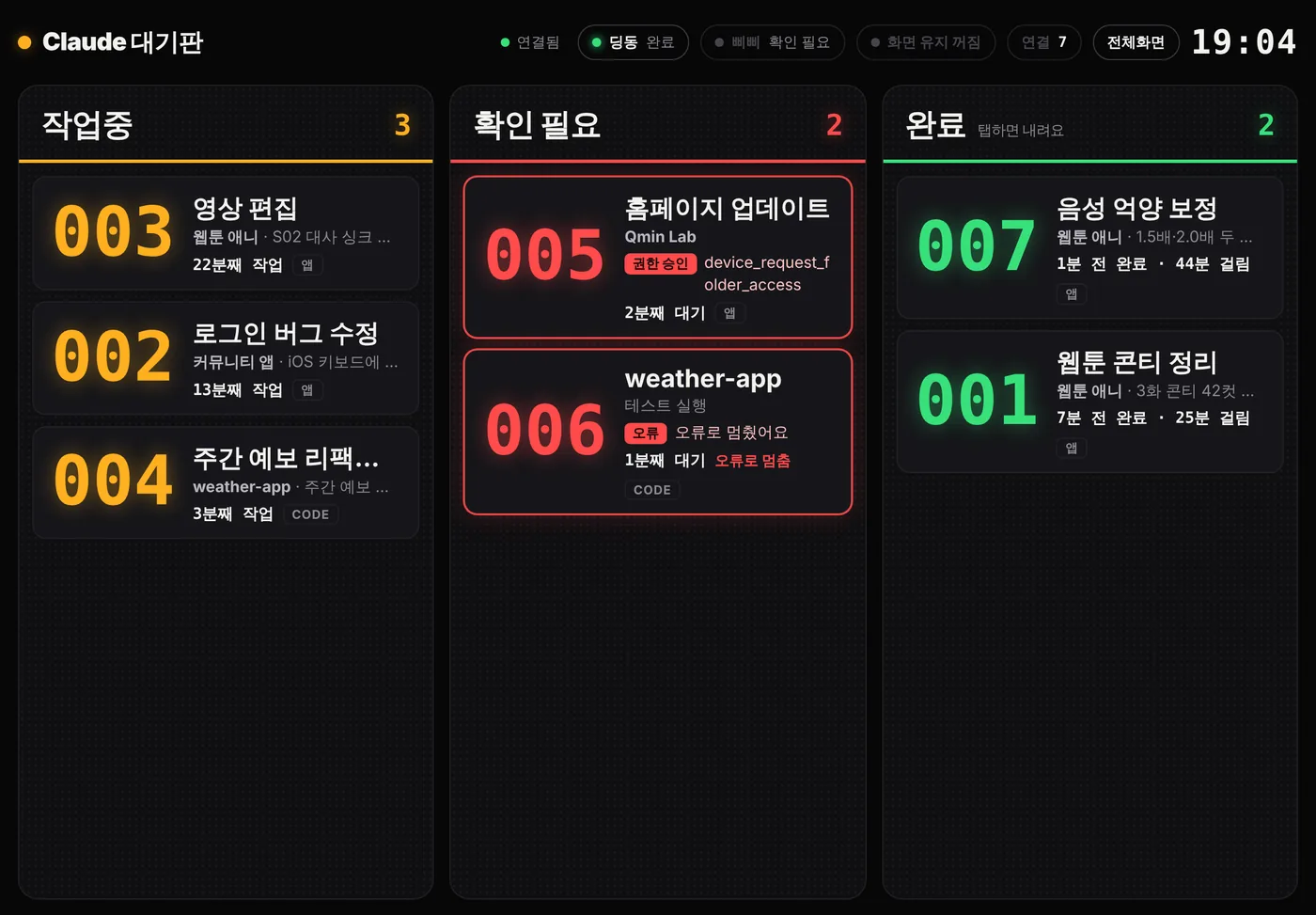
The board at first release. Each card shows a number, a name, what it is doing and for how long. What I tried
A small Python server on the Mac, and a three-lane board in Safari on the iPad. Claude Code sent signals through hooks; each Claude app chat got its own recorder (a Claude extension mod). In this version the recorder itself decided whether the chat was Working, Needs attention or Done.
What went wrong
- Confirmation prompts such as "fetch this web page" did not turn the card red. → The same day, every tool the app judged as "ask the user" started going to Needs attention.
- Then the opposite happened: tools I had set to "always allow" turned red too. The judgement still says "ask", but the tool runs at once without a prompt. → Wait 4 seconds; if the tool finishes in time, remember it as pre-allowed and wait up to 45 seconds for it from then on.
- The rules lived inside every chat's recorder, so each rule change meant running /board update again in every open chat.
What still fell short
The judging rules were scattered across chats, hard to change and easy to let drift apart.
So 1.0 made the recorder report only what happened, and moved every decision to one place: the Mac server.
- 1.0
One judge, on the Mac
2026.10.15 – 10.21
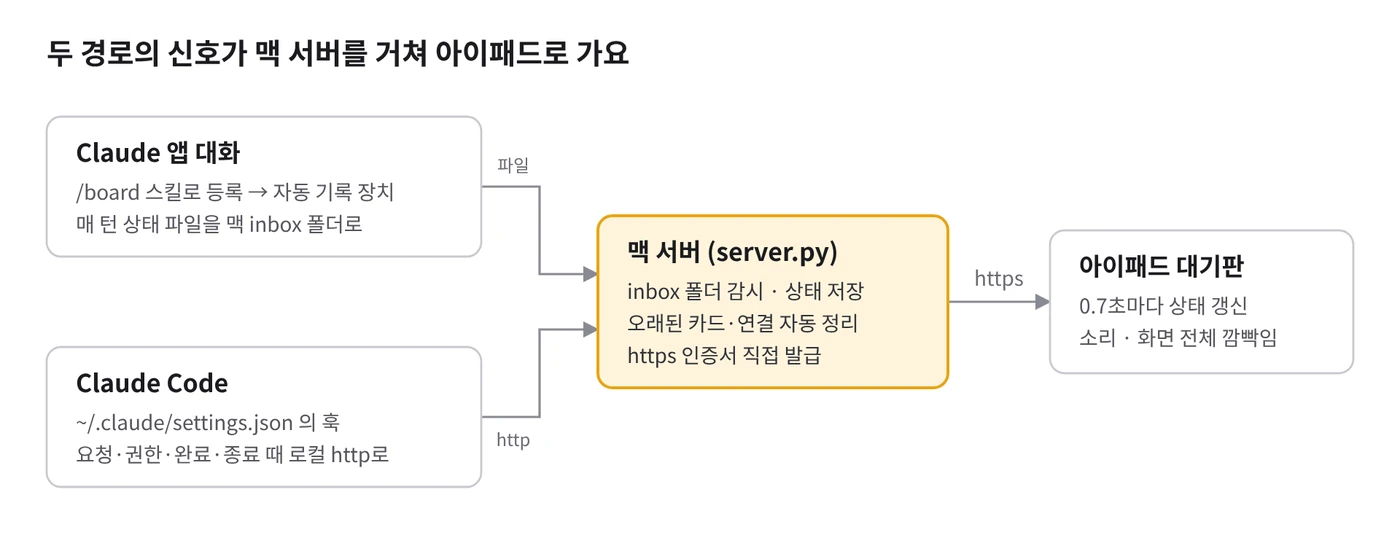
Signals from two paths meet at the Mac server. From 1.0 on, every lane decision is made there too. 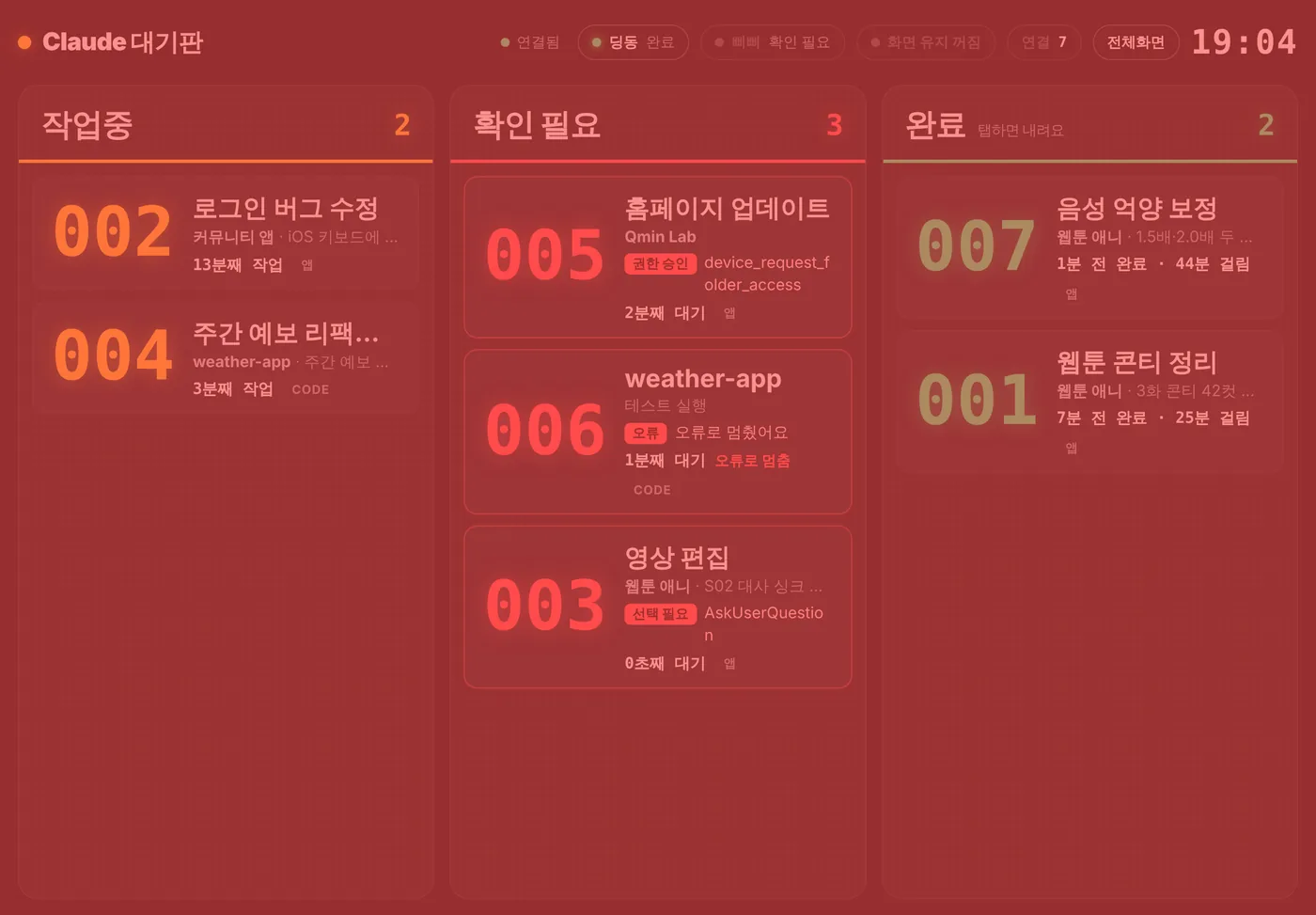
Needs attention flashes the whole screen red. Before the 10-second rule, even a prompt approved a moment later did this. What I tried
The recorder sends raw events only: turn start, permission check, tool finished, turn end. The Mac server decides which lane a card belongs in, and restarts itself when its file changes, so a rule fix reaches every open chat at once. Chats on 1.0 or later never need updating again.
What went wrong
- Cards and links vanished in the middle of long tasks. I assumed the session-end signal meant the chat was deleted, but it also fires when context is compacted or the environment restarts. → Session end no longer deletes anything; only cards whose signals stop are tidied away later, and Working cards get six hours because long jobs are real. (10.16)
- Tidying an old card also cut its link, so the chat's card never came back when it started working again. → Cards are now only hidden; the link stays for 30 days and the card returns with the next signal. (10.19)
- A prompt that was approved a moment later still flashed the whole screen red. → A task moves to Needs attention only after it has been stuck for 10 seconds. (10.21)
- Browser tools do several actions in one call and easily run past 10 seconds. → The browser tool family counts as pre-allowed from the start, and the "pre-allowed" memory now works per tool family, not per tool. (10.21)
What still fell short
The server still guessed whether a tool was pre-allowed from "did it finish within a few seconds". Commands that are simply slow could still land in Needs attention by mistake.
So 1.1 had the recorder send the real run time, and the server calculate instead of guess.
- 1.1
Time waiting = total time − run time
2026.10.22
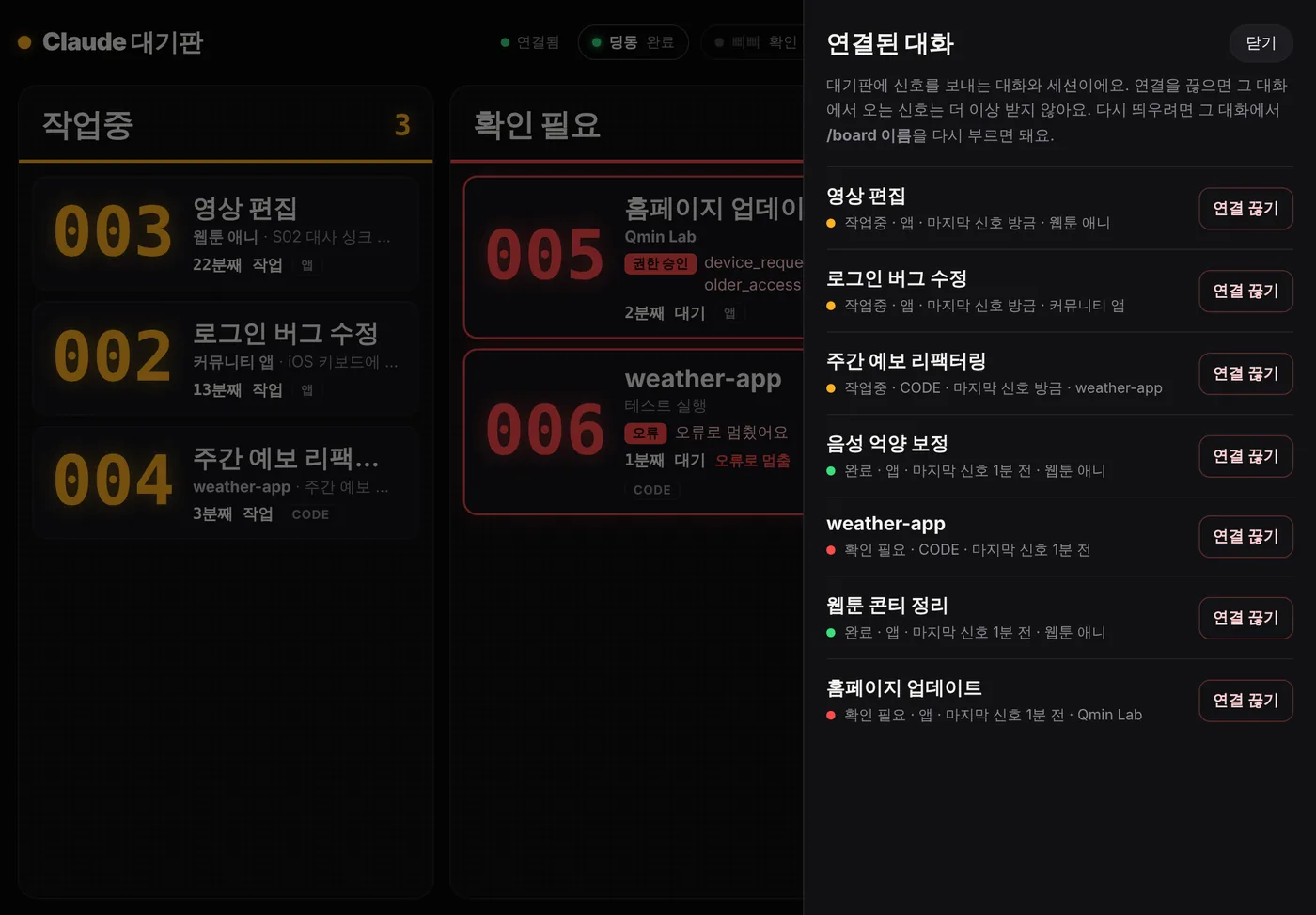
The link tab (first-release picture). From 1.1 each chat also gets a rename button. What I tried
The "tool finished" event now carries the tool's actual run time. The server works out how long it waited for approval as total time minus run time. Over 2.5 seconds means a person pressed the button, so that tool family is learned as one that asks. Tools known to be pre-allowed get 180 seconds, so even long commands with a timeout stay out of Needs attention. The iPad link tab also got a rename button.
What went wrong
- Some Claude Code sessions never showed up on the board. → To find out why, the server now logs every hook signal that arrives.
- When I sent messages back to back, the card went to Done the moment the first command ended, even though the next one was already running.
What still fell short
The server knew that a turn had ended, but not which turn. It also could not see background agents the main chat had started.
So 1.2 numbers every turn.
- 1.2
Turn numbers and background agents
2026.10.22 – nowNow
Live example: stuck on a prompt for over 10 seconds goes to Needs attention, approving sends it back to Working, and a finished turn stays Working while a later turn runs. What I tried
The recorder numbers each turn. When a command ends while a later turn is still running, the card stays in Working. If background agents are still running when a turn ends, the card stays in Working too.
Not solved yet
- Signals from Claude app chats take 2 to 4 seconds to reach the Mac. That is the transport itself and cannot be shortened. (Claude Code shows up within a second.)
- Chats opened on a phone are not recorded; only desktop app chats connected to the Mac are.
- The recorder has to be allowed once in every chat.
- There is no way to know when a chat is deleted, so a silent card is hidden only after a while. A long press clears it at once.